


Palm Beach Post: Local News
2.7105.00 Reviews
App Specs
- Version
- 8.10.3
- Updated On
- License
- Free
- Downloads
- 10,000+
- Developer
- USA TODAY Co.
- Categories
- News & Magazines
- Platform
- Android
Screenshots
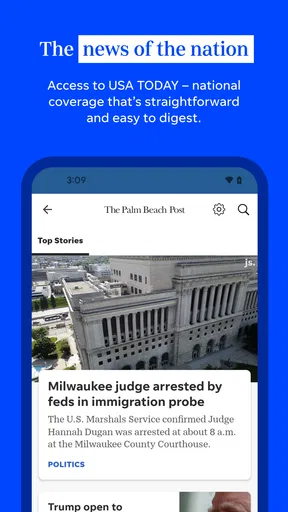
 Analysis by AppCompare
I approached Palm Beach Post: Local News as a reader who wants nearby reporting without having to sort through a broad national news feed. Its focus is local coverage, and that makes the experience quite different from using a general news app. Instead of treating neighborhood stories as a small part of a much larger product, it puts community information at the center. That narrow purpose is its biggest reason to install, but also the main reason some readers may find it limiting.
The app is published by USA TODAY Co. and belongs to the News & Magazines category. It is free to install, carries an Everyone age rating, and has been available since Mar 20, 2013. I found it most relevant when I wanted a quick sense of what was happening around Palm Beach rather than a stream of national headlines. The store summary also points to high school sports coverage, schedules, scores and related updates, so the app has a particularly clear use for families, students and local sports followers.
My overall impression is mixed but practical. The app can be useful when local relevance matters more than a polished, all-purpose news experience. At the same time, its average rating of 2.7 from around 187 ratings suggests that the experience has not worked equally well for everyone. I would not install it expecting a complete replacement for every news source on my phone. I would consider it a focused companion for readers who specifically want Palm Beach-area reporting and sports information.
How the app handles reading, navigation and everyday access
I look at reading and navigation here through the app’s local focus: the most useful routine is to arrive with a particular question, such as what happened nearby or how a school team is doing, rather than browse without a destination. That makes a quick, deliberate check easier to fit between errands, while also making clear when a broader news source would be more useful. Next, I consider where that focused routine pays off most.
A focused local starting point
The strongest design decision is the subject matter itself. A local publication can save time because the reader is not forced to filter through international stories, celebrity coverage or national political updates before reaching something useful. If I am checking for a community development, local event, school result or nearby issue, a dedicated local-news app makes more sense than opening a general news service and searching repeatedly.
That focus also changes how I judge navigation. I do not need a complicated discovery system if the main purpose is to reach local stories quickly. For a parent checking a school result before work, or a resident trying to understand a nearby change, the value comes from reducing the distance between opening the app and finding relevant information. The Palm Beach Post identity gives the product a clear editorial destination instead of leaving the reader to guess what kind of coverage it prioritizes.
Still, a focused app needs to make its sections understandable. Local news is not one single topic: community reporting, schedules, scores and broader regional stories serve different readers. I would pay attention to whether the app presents those areas distinctly enough for someone who opens it with one specific goal. A sports follower should not have to work through unrelated headlines to find a score, while a resident looking for civic reporting should not feel that sports dominates the entire experience.
Worth Reading Before You Choose

EA SPORTS FC Mobile 26 Is a Bigger Football Game, but It Takes Time

Flipboard Shows What News Apps Must Do Beyond the Feed

Switching to Android Auto Means Rethinking Your Driving Routine

Google Calendar Makes a Crowded Week Easier to Manage

Ludo King Makes the Most of the Minutes Between Plans

Baby Panda World Brings Quick Play to Modern Phones, but Its Game Library Feels Busy
Readability depends on the person and the situation
For me, a news app succeeds when I can scan headlines, identify what deserves attention and open a story without visual confusion. Local reporting often includes names, schools, neighborhoods and event details, so legibility matters more than flashy presentation. A crowded screen can make those details harder to distinguish, particularly for readers with low vision, dyslexia or attention-related difficulties.
I would use the phone’s own display controls when text feels too small, but system-level enlargement is not a substitute for thoughtful layout. Enlarging text can cause wrapping, clipping or extra scrolling in some apps. That trade-off is especially important for an app centered on reading rather than brief notifications. Someone who regularly needs large text should test a few articles and the sports areas before deciding whether the app is comfortable for daily use.
There is also a difference between reading a headline and following a full local story. A quick scan may work well during a commute or lunch break, but longer articles require stable spacing, clear hierarchy and predictable movement. I found the app’s purpose easy to understand, yet readers who depend on strong visual contrast, large controls or highly adjustable typography should judge the actual screen behavior on their own device rather than assume that a news-focused product automatically meets those needs.
Useful workflows beyond simply opening headlines
One practical workflow is to treat the app as a local check-in tool rather than a constant news stream. I would open it at a chosen time, scan the most relevant local sections, and then leave instead of repeatedly refreshing throughout the day. That approach reduces information overload and makes the app more useful for people who find fast-moving feeds distracting.
A second workflow is to separate sports checking from general reading. If I am following a student or school team, I would use the schedules and scores as a targeted destination, then return to community coverage only when I want broader context. This is more efficient than expecting a single mixed feed to serve both purposes. It also makes the app easier to recommend to a household with different interests: one person may care about local reporting, while another mainly wants school sports updates.
A third consideration is confirmation. A score or short update may answer an immediate question, but a local story can develop after the first report. I would avoid treating one brief item as the complete picture when the subject affects a school, neighborhood or public issue. The app is useful for discovering what deserves attention, but I would still compare important information with official local sources when a decision depends on accuracy or timing.
Motor and sensory considerations
News reading involves more than eyesight. Readers with limited dexterity may find frequent scrolling, small tap targets or tightly packed controls tiring, especially when trying to open a particular item without selecting the one beside it. A person using one hand may also prefer a layout that keeps important actions within comfortable reach. I cannot treat the app as universally effortless in these situations; the practical experience will depend on the device, display size and the reader’s preferred interaction method.
For users sensitive to motion or visual stimulation, a calmer reading routine may help. I would open one section at a time, avoid rapid feed scanning and use the phone’s available display settings if transitions or contrast feel uncomfortable. Readers who rely on spoken output should also test how headlines, labels and article text are presented by their device’s screen reader. Clear editorial organization helps, but it does not guarantee that every control or changing area will be announced in the most useful order.
People with hearing loss are unlikely to need audio to understand ordinary written reporting, which is one advantage of text-based local coverage. However, any story that depends on video, sound or visual context may be less convenient if equivalent written information is not immediately available. I would therefore treat the written article as the safer route when I need dependable access during a noisy commute, in a quiet workplace or in a setting where playing media is inappropriate.
Situational access: where the app fits best
The most realistic use case is a Palm Beach resident checking the phone before leaving home. A parent might look for a school sports result, a schedule change or a local story that affects the day’s plans. The app’s local orientation can make that check faster than browsing a national publication, particularly when the reader already knows the community or school they want to follow.
It can also help someone who has recently moved to the area and wants a more grounded sense of local life. National apps tend to explain major events, but they are less useful for understanding the smaller subjects that shape a neighborhood. A local publication can become part of a weekly routine: check community coverage, look at sports information, and use the reporting as a starting point for further research.
On the other hand, the app is less suitable when I need broad national or international coverage in the same place. A general news application will usually be more efficient for comparing world events, business developments and local stories within one wider feed. If I want weather, live alerts, podcasts, entertainment and national analysis together, this focused product may feel incomplete rather than convenient.
Connectivity and attention also affect its usefulness. Reading on a crowded bus, in bright sunlight or while multitasking can expose weaknesses that are not obvious at home. I prefer to judge a news app in the conditions where I will actually use it: one-handed, with distractions, and sometimes with only a minute available. A product that feels fine during a relaxed session may be less accessible when I am trying to find one score or headline quickly.
What may still create friction
The first barrier is the gap between free installation and the full reading experience. Palm Beach Post: Local News is free to download, but in-app purchases are listed from $19.99 to $69.99 per item. That does not automatically make the app poor value, yet it means I would check how much of the content is available in the free experience before building a daily habit around it. Readers who need predictable costs should be especially careful about distinguishing installation from continued access.
The second barrier is audience fit. Local reporting is valuable precisely because it is specific, but specificity can feel restrictive to someone outside the area or to a reader who only occasionally wants Palm Beach coverage. I would skip this app if my main goal were a broad news digest. I would also hesitate to recommend it as the only source for urgent information, because a local publication app should complement official announcements and direct sources when safety, school closures or public services are involved.
The third barrier is consistency of experience across abilities. A reader may be able to enlarge text but still struggle with navigation, or may understand the articles but find interactive elements difficult to operate. People who depend on keyboard-style navigation, screen readers, high contrast or reduced motion should test the app directly with their usual settings. I would not infer accessibility support from the app’s age rating or its local editorial focus; those describe audience and subject matter, not the quality of assistive access.
Finally, the average rating of 2.7 is a useful warning to approach with realistic expectations. It does not tell me that every reader will have problems, but it does tell me not to assume a friction-free experience. The current version is 8.10.3 and requires Android 8.0 or later, so compatibility is reasonable for supported devices, but software support alone does not settle questions about readability, navigation or purchase expectations.
Who should install it, and who should choose something else?
I would recommend trying it to Palm Beach readers who want local reporting in a dedicated place, families following high school sports, and residents who prefer community stories over a large national feed. It is also a sensible secondary news source for someone who wants to notice local subjects first and then investigate important details through official channels.
I would not make it my first choice for a reader who wants one comprehensive application covering every region and format. A broader news service will be better for national and international coverage, while official school, city or emergency channels may be better for direct notices. Readers with specific access needs should also compare the app with a mobile website or another service that offers more familiar text controls and interaction patterns.
My advice is to install it with one clear test in mind: find a local story, locate the sports information you care about, enlarge the text if needed, and see whether the main actions remain comfortable. Then check what happens when you encounter content behind an in-app purchase. That short trial will answer more than the store summary because it tests the exact combination of relevance, readability and cost that determines whether this app belongs in your routine.
My inclusive verdict
Palm Beach Post: Local News has a clear purpose and can be genuinely useful when local context is the priority. I like the idea of opening one focused source for community reporting, schedules and scores instead of searching through a general feed. Its best audience is not everyone who reads news; it is the person whose daily questions are specifically tied to Palm Beach and its schools, neighborhoods and local events.
My recommendation is therefore conditional rather than enthusiastic. The app earns a place as a specialized local companion, but I would not rely on it as a complete news system or assume that it will suit every reader’s visual, motor or sensory needs. The free download is inviting, while the listed in-app purchase range makes it important to understand the access model before committing. If the text and navigation feel comfortable on your device and the local focus matches your interests, it is worth trying. If you need broad coverage, highly adjustable reading controls or a fully predictable cost, another option may serve you better.
In short, this is a focused choice with real community value, not a universal replacement for every news source. Its accessibility in practice depends on how your device settings, reading preferences and daily environment interact with the app. I would keep it for local awareness and high school sports, while using official sources and broader news tools whenever the situation calls for more direct, wider or more accessible information.
Pros
- Covers local Palm Beach County news
- events
- and community updates.
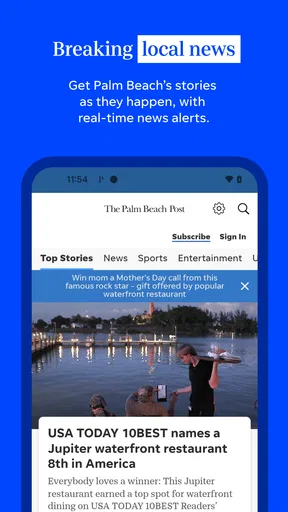
- Offers breaking-news alerts to help readers stay informed quickly.
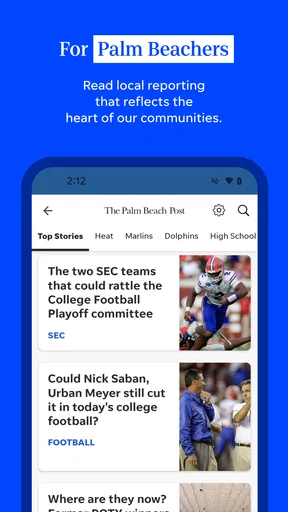
- Includes sports coverage focused on local teams and regional events.
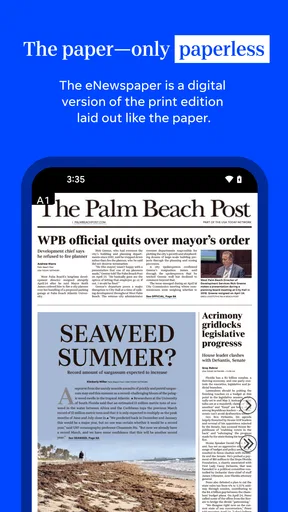
- Digital articles are convenient to read on phones and tablets.
- Provides access to photos
- videos
- and multimedia news content.
Cons
- Many full articles may require a paid subscription or digital membership.
- Advertising can make some screens feel crowded while browsing.
- Coverage is mainly regional and may feel limited for national news readers.
- Frequent notifications may become distracting if not customized.
- Some content and features depend on a stable internet connection.
FAQs for Palm Beach Post: Local News
What is Palm Beach Post: Local News?
Palm Beach Post: Local News is a news app focused on Palm Beach County and surrounding South Florida communities. It provides access to local reporting, breaking news, politics, crime, weather, traffic, sports, business, entertainment, and opinion articles. The app is designed for readers who want regional coverage in one place rather than relying only on national news sources.
Is Palm Beach Post: Local News free to download and use?
The app can generally be downloaded at no cost, but access to all articles and premium content may depend on a subscription or digital membership. Some news stories may be available without signing in, while other content can be limited by a paywall. Before subscribing, check the current pricing, trial terms, renewal conditions, and whether your account includes website access.
What type of news and features are available in the app?
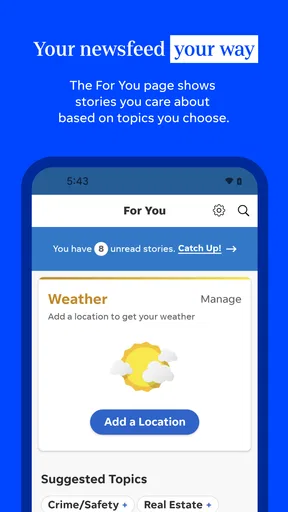
The application typically brings together local headlines, breaking-news alerts, weather information, sports coverage, investigative journalism, community updates, and stories about events across Palm Beach County. Depending on the version installed, readers may also find saved articles, personalized notifications, multimedia content, newsletters, and links to related stories. Available features can vary after updates.
Does the app require an account or subscription?
You may be able to browse selected stories without creating an account, but an account is often needed to access subscriber-only articles, manage a digital subscription, save preferences, or use certain personalized features. A subscription may also remove reading limits. Review the sign-in and subscription screens carefully, especially if the app offers a free trial that automatically renews.
Does Palm Beach Post: Local News send notifications and use personal data?
The app may request permission to send notifications about breaking news, severe weather, sports results, and other local developments. You can usually enable or disable these alerts in the app or your device settings. Like many news applications, it may collect information related to usage, device operation, advertising, or account management, so review its current privacy policy before downloading.


